Follow these steps to join the 14 members who started in the last 7 days!
💡 Getting Started: After you click on "Activate My $0 Trial →", follow these exact steps to create your GDI account and activate your Rotator spot.
Step 1 & 2
Account Setup & Security
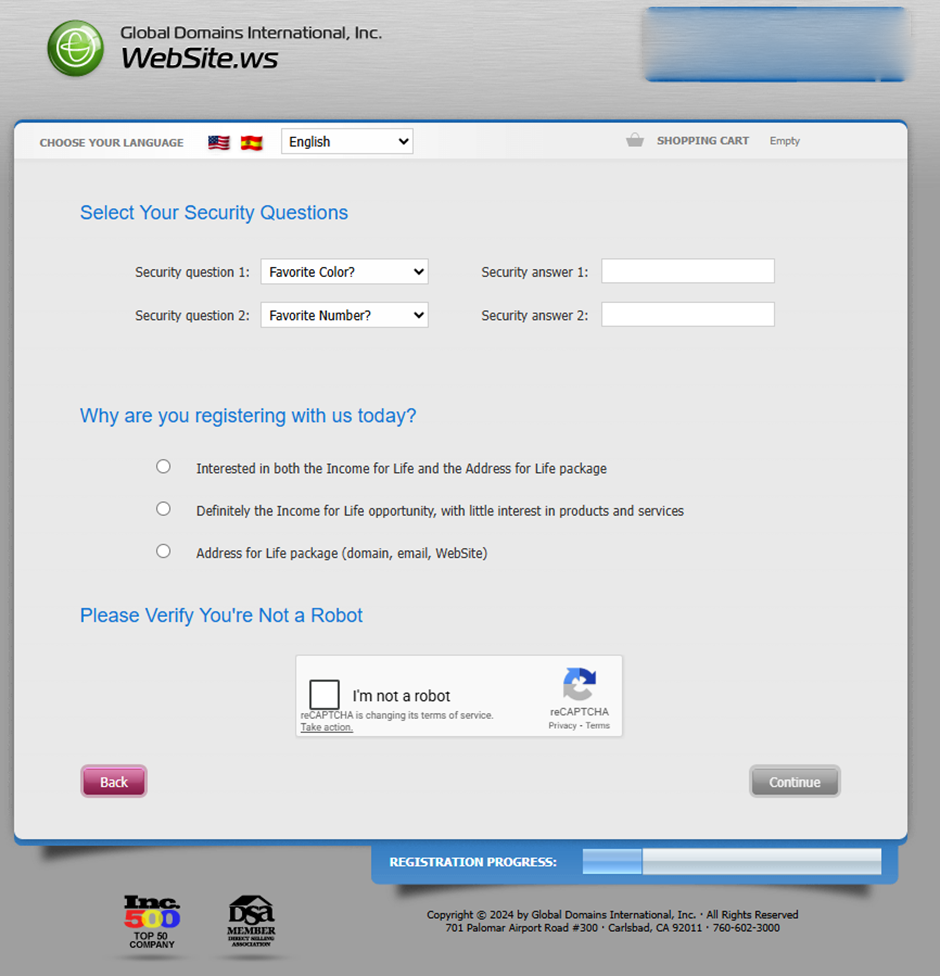
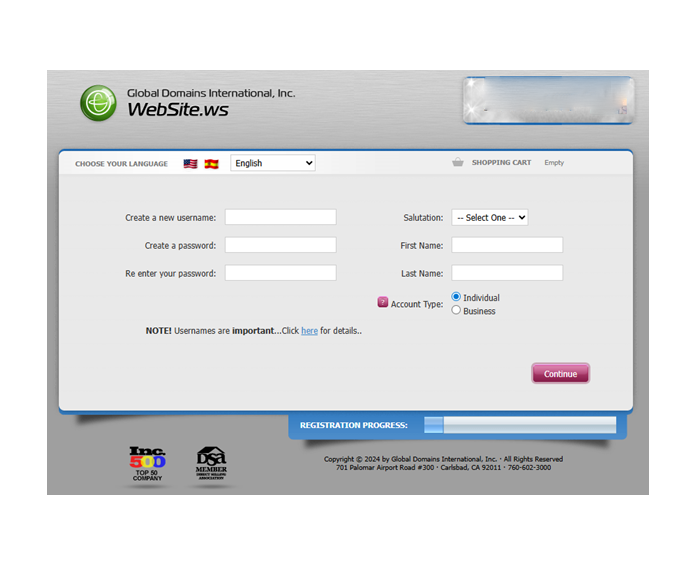
Step 1: Choose a unique username and a strong password. You will then select two security questions. Make sure to write these down!
You will need the username later to update on GDI Rotator to activate your spot:
Step 2: Enter Security Questions (make sure to write them down):
Step 3
Contact Information
Enter your real name and email. This is for your official GDI registration and domain ownership.
Step 4 - 6
Domain Selection & Cart
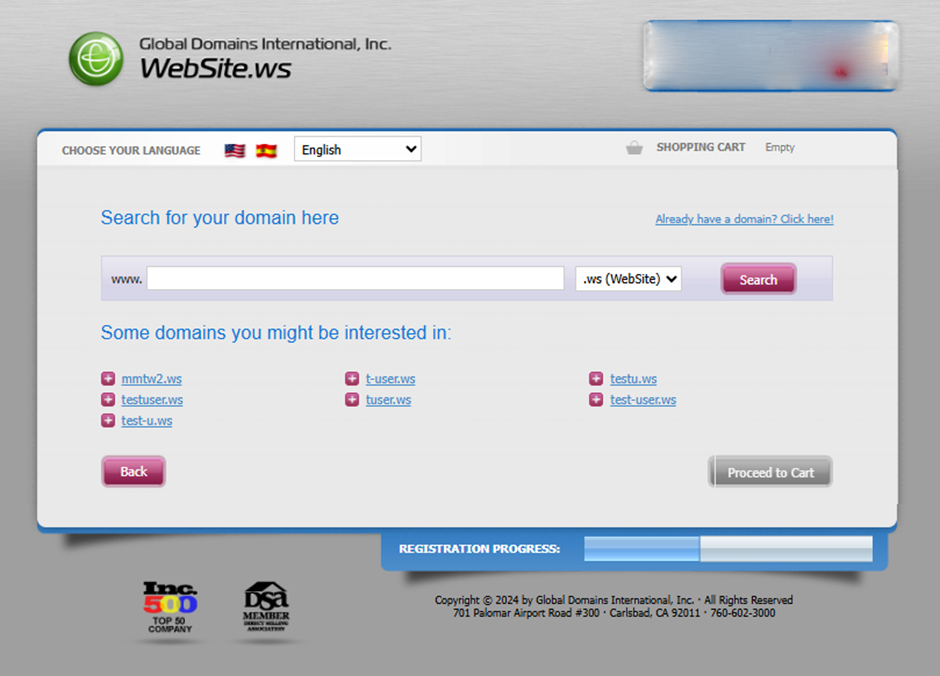
Step 4 & 5: Search for a domain (e.g., yourname.ws) and add it to your cart. Then, click Proceed to Cart:
Step 6: Verify Your $0.00 Total
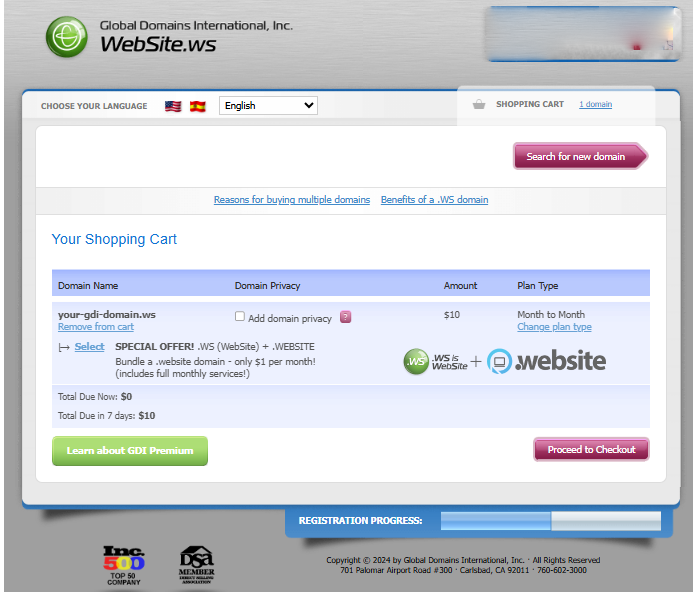
In your cart, verify that the Total Due Now is $0. This confirms your 7-Day Free Trial is active. Then click Proceed to Checkout:
Step 7
Basic vs. Premium
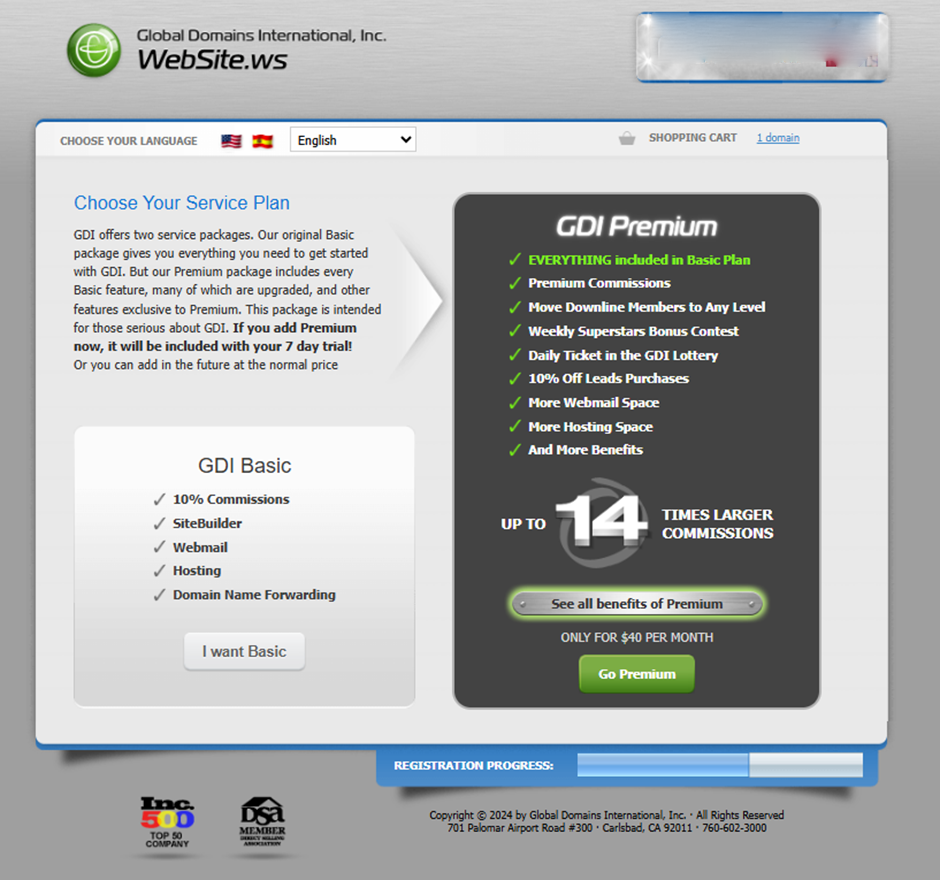
Select BASIC ($10) to qualify for the 7-Day Free Trial. You can upgrade to Premium later once your team grows.
Click "I want Basic":
Step 8
Choose Payment Method
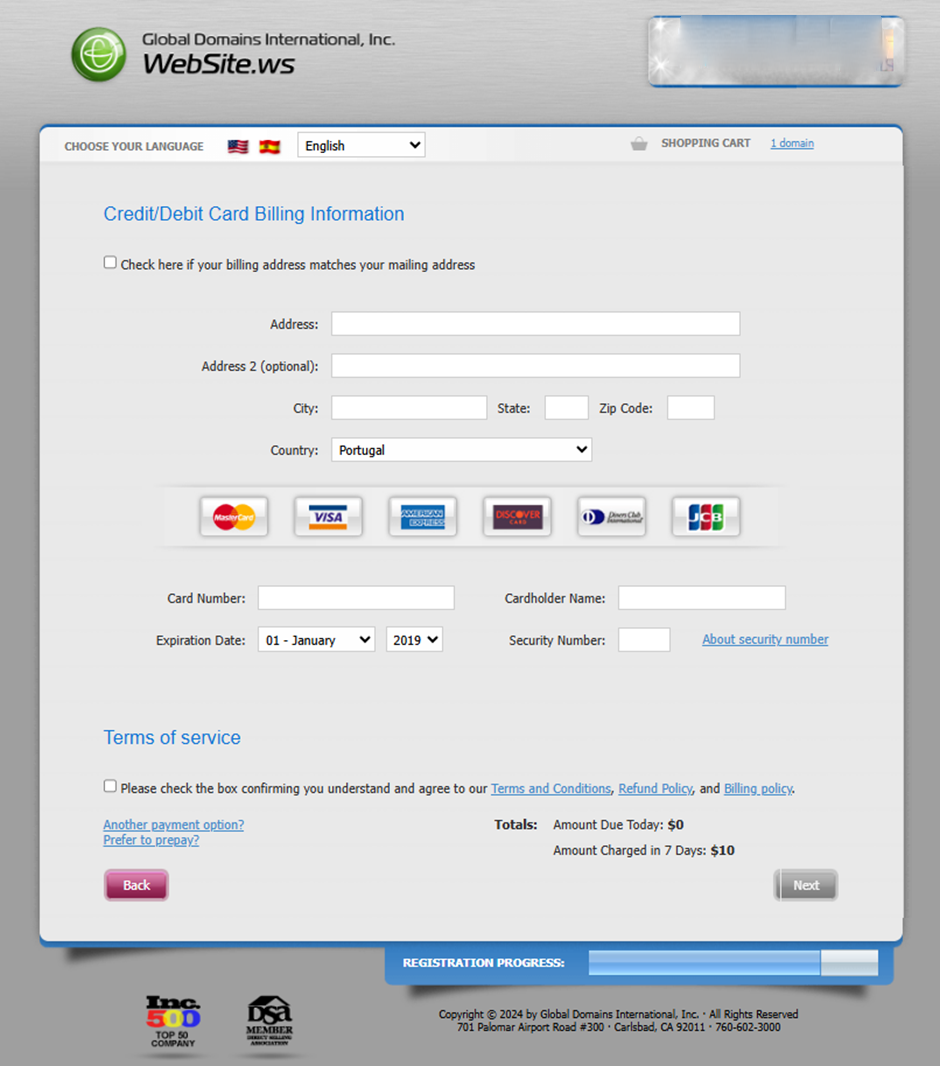
GDI requires a payment method to verify your identity. You will not be charged during your 7-day trial.
Option A: Credit Card
Fastest for US and Canadian users. Use a standard Visa, Mastercard, or Discover.
Enter your card number, expiry, and CVV on the GDI secure form.
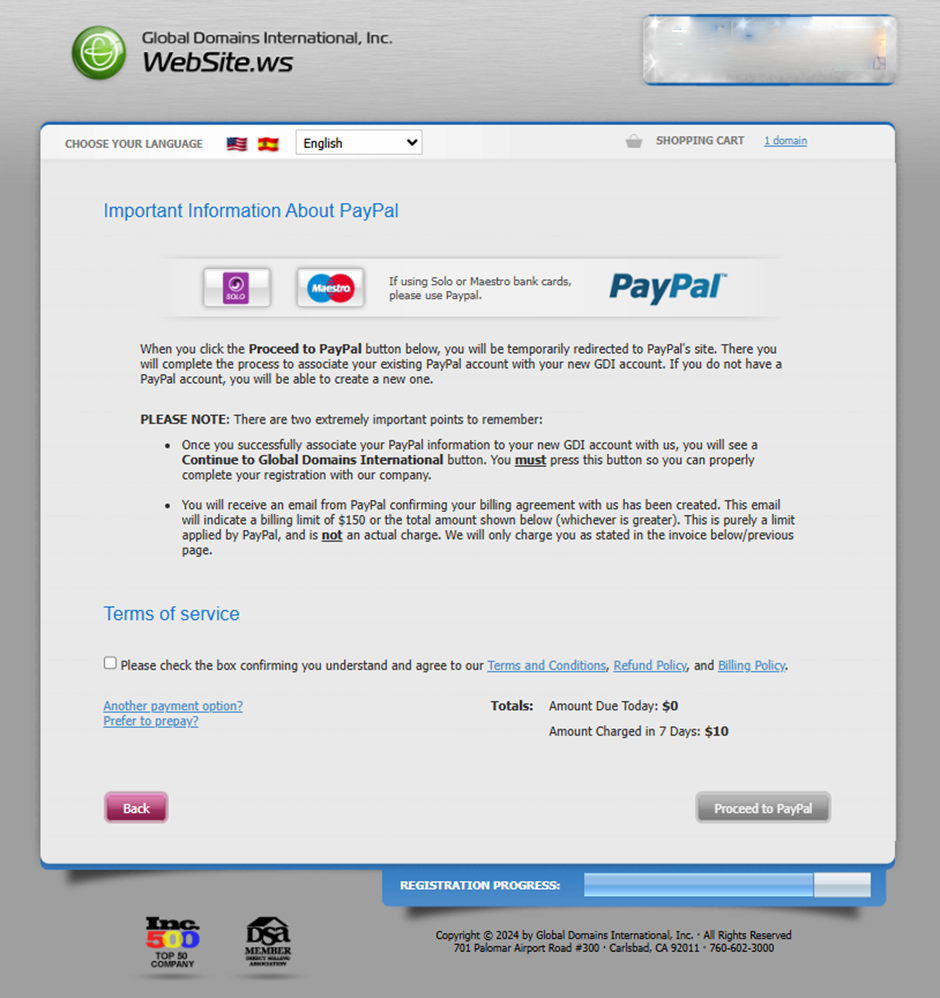
Option B: PayPal Recommended
Best for International users. Securely link your bank or card via PayPal.
✔ PayPal Verified: GDI is one of the few companies in this industry trusted by PayPal for over 25 years. You have total control: Manage your settings securely inside your own PayPal account anytime during the 7-day trial to ensure you are never charged.
 Step 2: Enter Security Questions (make sure to write them down):